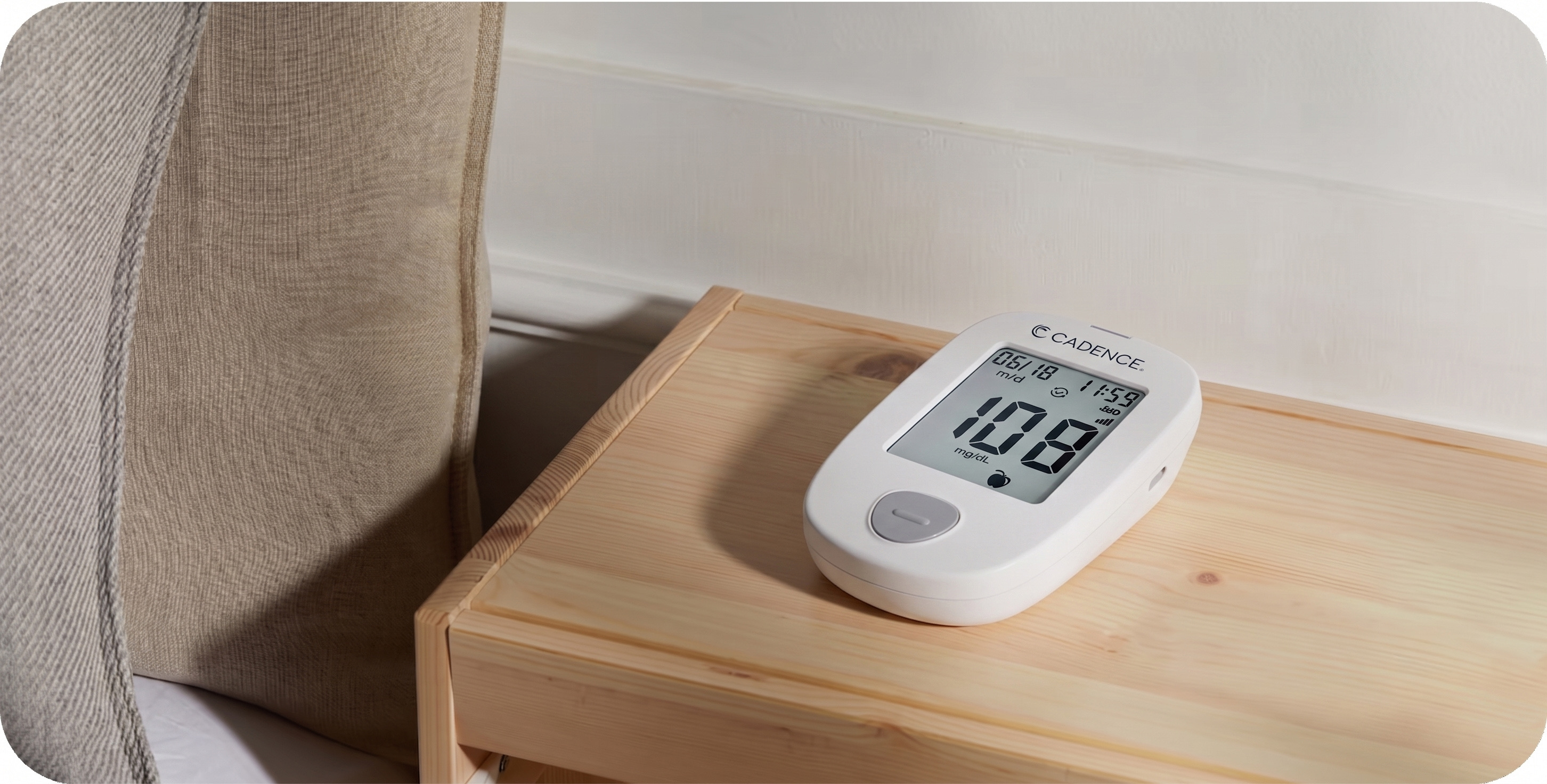
Is your Cadence blood glucose monitor not working as expected? Below, we'll walk you through common problems and simple solutions to get your blood glucose monitor working correctly again.
Before you begin
Use your Cadence blood glucose monitor only with Cadence Blood Glucose Test Strips and Cadence Control Solution. The device is designed for testing fresh capillary blood from your fingertip.
Before testing:
- Wash and dry your hands.
- Check that your test strips have not expired.
- If the vial has been open for more than 6 months, use a new vial.
- Close the test strip vial tightly after removing a strip.
- Use the test strip right after removing it from the vial.
- Make sure the device and strips are at room temperature and within the operating range of 41-113 degrees F.
- Do not test while the device is charging.
- Do not share your device, lancing device, or lancets with anyone else.
If your device will not turn on
Your Cadence blood glucose monitor has a rechargeable battery. If the device will not turn on, it may need to be charged.
Try these steps:
- Plug the Micro USB cable into the charging port on the device.
- Connect the cable to a computer or compatible wall adapter.
- Allow the device to charge. A fully empty battery may take about 3 hours to charge.
- Once the device is charged, unplug the Micro USB cable before testing.
If you see an empty battery symbol with the error code E11, the device needs to be charged before you can use it.
Do not use the device or charging cable if either one looks damaged, becomes unusually hot, or has an unusual smell. If the device still will not charge or power on, contact the Cadence Care Team at 855-613-0778.
If you are having trouble getting a reading
If the device does not complete a test or shows an error after you insert a strip, start again with a new test strip. Used strips cannot be reused.
To help the device read your sample:
- Insert a new Cadence Blood Glucose Test Strip in the direction of the arrows.
- Wait until the flashing blood drop appears on the screen.
- Lance your fingertip and apply the tip of the test strip to the blood drop.
- Make sure the check window on the strip fills completely.
- Keep the strip in place while the device counts down.
If the check window does not fill completely, do not add a second drop of blood to the same strip. Discard the strip and test again with a new one.
If you see an error
If your device shows an error code, look for the code on the screen and follow the steps below. In most cases, you will need to discard the current strip and test again with a new one.
E1: Sample applied too early
This can happen if blood or control solution is applied before the flashing blood drop appears on the screen.
What to do:
- Discard the test strip.
- Insert a new Cadence Blood Glucose Test Strip.
- Wait for the flashing blood drop to appear.
- Apply your blood sample to the new strip.
E2: Used or contaminated strip
This can happen if the strip has already been used or was contaminated before testing.
What to do:
- Discard the strip.
- Wash and dry your hands.
- Insert a new strip and wait for the flashing blood drop.
- Test again.
E3: Incorrect test strip
This can happen if the strip is not compatible with your Cadence blood glucose monitor.
What to do:
- Discard the strip.
- Use a new Cadence Blood Glucose Test Strip.
- Test again.
E4: Incorrect sample
The device is designed to test fresh capillary blood from your fingertip or Cadence Control Solution.
What to do:
- Discard the strip.
- Insert a new strip.
- Use only a fingertip blood sample or Cadence Control Solution.
- Test again.
E5: Device or strip is too hot or too cold
This can happen when the device or test strip is outside the temperature range needed for testing.
What to do:
- Move the device and strips to a place within the operating range of 41-113 degrees F.
- Let the device adjust for at least 20 minutes.
- Test again with a new strip.
Avoid leaving your device or test strips in a car, near a heater, or anywhere they may become very hot or very cold.
E6 or E7: Possible device issue
This may mean the blood glucose monitor has a hardware issue.
What to do:
- Restart the device.
- Try testing again with a new strip.
- If the error continues, contact the Cadence Care Team.
For urgent concerns about your symptoms or blood sugar results, contact your healthcare provider.
E8: Strip inserted while the device is charging
This can happen if the device detects a test strip while it is connected to a computer or wall outlet.
The device cannot be used for blood glucose testing while it is charging.
What to do:
- Remove the test strip.
- Allow the device to finish charging if needed.
- Unplug the Micro USB cable.
- Insert a new strip and test again.
E10: Not enough blood or control solution
This can happen if the test strip does not receive enough sample to fill the check window.
What to do:
- Discard the strip.
- Insert a new strip.
- Apply enough blood or control solution to fill the check window completely.
- Do not add more sample to a strip that has already started testing.
E11: Low battery
This can happen when the device needs to be charged before testing.
What to do:
- Plug the Micro USB cable into the charging port on the device.
- Connect the cable to a computer or compatible wall adapter.
- Allow the device to charge before testing.
- Unplug the device before inserting a new strip.
HI or LO: Reading is outside the device range
Your device will show HI when the result is above its measurement range and LO when the result is below its measurement range.
- HI means the result is above 600 mg/dL.
- LO means the result is below 20 mg/dL.
If you see HI or LO and your symptoms feel urgent or severe, contact your healthcare provider right away. If you are experiencing a medical emergency, call 911 or go to the nearest emergency room.
If you do not have urgent symptoms:
- Wash and dry your hands and the test site.
- Test again with a new strip.
- If the device still shows HI or LO, contact your healthcare provider right away.
Do not change your medication, food, or care plan based on a blood glucose monitor result without talking with your healthcare provider.
If your result does not match how you feel
If your result seems unusually high, unusually low, or does not match your symptoms, repeat the test with a new strip.
Before retesting, check that:
- Your hands are clean and dry.
- The test strips have not expired.
- The vial has not been open for more than 6 months.
- The test strip vial was closed tightly.
- The strips were stored in a cool, dry place.
- The device and strips are within the operating range of 41-113 degrees F.
- You used the strip immediately after removing it from the vial.
- The check window filled completely during testing.
If the result still does not match how you feel, contact the Cadence Care Team for help with the device. For medical questions or symptoms, contact your healthcare provider.
If your results are not transmitting
Your Cadence blood glucose monitor sends readings through a cellular connection. If the data does not transmit, you may see a data transmission icon or a no signal icon on the device screen.
Try these steps:
- Move the device near a window or to an area with a stronger cellular signal.
- Restart the device.
- Wait for the device to transmit.
- Check again after about 10 minutes.
If your results still are not transmitting, contact the Cadence Care Team.
If you need to run a control solution test
A control solution test can help confirm that your device and test strips are working together properly. You may need to run a control solution test when you open a new vial of test strips or if you think the device or strips may not be working correctly.
Use only Cadence Control Solution with your Cadence blood glucose monitor.
To run a control solution test:
- Insert a new Cadence Blood Glucose Test Strip.
- Wait for the flashing blood drop to appear.
- Shake the control solution bottle.
- Discard the first drop of control solution.
- Place a second small drop on a clean surface, such as the top of the control solution cap.
- Touch the tip of the test strip to the control solution drop.
- Wait for the device to display the result.
- Compare the result with the control range printed on the test strip vial.
If the control solution result is outside the printed range, repeat the test with a new strip. If the result is still outside the range, do not use the device to test your blood until you have contacted the Cadence Care Team.
If your device needs to be cleaned
Keep your device clean and dry, and store it in its carrying case when you are not using it.
The device should be cleaned and disinfected at least once per week. If another person helps you test, clean and disinfect the device before they assist you.
Use only the cleaning and disinfecting wipes recommended in your device instructions. Do not put the device under water, spray it with cleaner, or let liquid enter the test strip port or charging port.
Stop using the device and contact the Cadence Care Team if:
- The display becomes cloudy or only shows part of the screen.
- The case is cracked.
- The button does not work.
- The device was dropped into liquid or splashed with liquid.
- The device looks damaged or does not seem to be working normally.
Need more help?
If you have tried these steps and still need help, contact the Cadence Care Team at 855-613-0778.
For urgent medical questions, symptoms, or blood sugar results that concern you, contact your healthcare provider. If you are experiencing a medical emergency, call 911 or go to the nearest emergency room.
Any information provided on this website is intended for general educational purposes and is not intended to be medical advice. You should always consult with your own medical provider about your health and medical questions and never rely on this or any other website alone to make medical decisions. Do not delay seeking medical advice or disregard any medical advice you have received from your provider because of anything you read on the website.